Description
Decodo n8n Node
This repository provides an n8n integration for Decodo’s Web Scraping API, a powerful web scraping tool that automatically bypasses blocks and bot protection to extract data from any target URL. It’s designed for developers and startups looking to automate data collection workflows from platforms like Google, eCommerce sites, and job boards.
n8n is a fair-code licensed workflow automation platform that lets you connect apps, APIs, and services to build automated workflows with minimal effort.
Features
- Easy integration. Plug the Decodo’s n8n node into existing workflows to start scraping with minimal setup.
- Bypassing CAPTCHAs, rate-limits, and IP bans. Automatic handling of common anti-bot defenses.
- Geo-targeting. Request region-specific results from websites that restrict content based on location.
- Rotating proxy support to avoid IP bans. Built-in proxy rotation to keep requests distributed and persistent.
- Structured data output. Get results in JSON or Markdown formats for easy readability and further analysis.
Installation
Decodo is an official node integrated into n8n. To use it, simply:
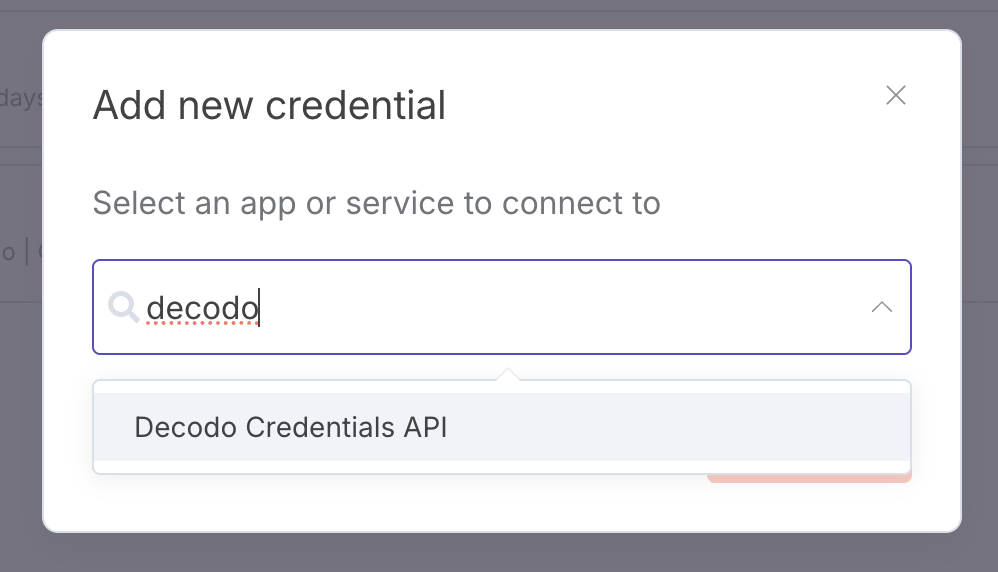
1. Open the nodes panel.
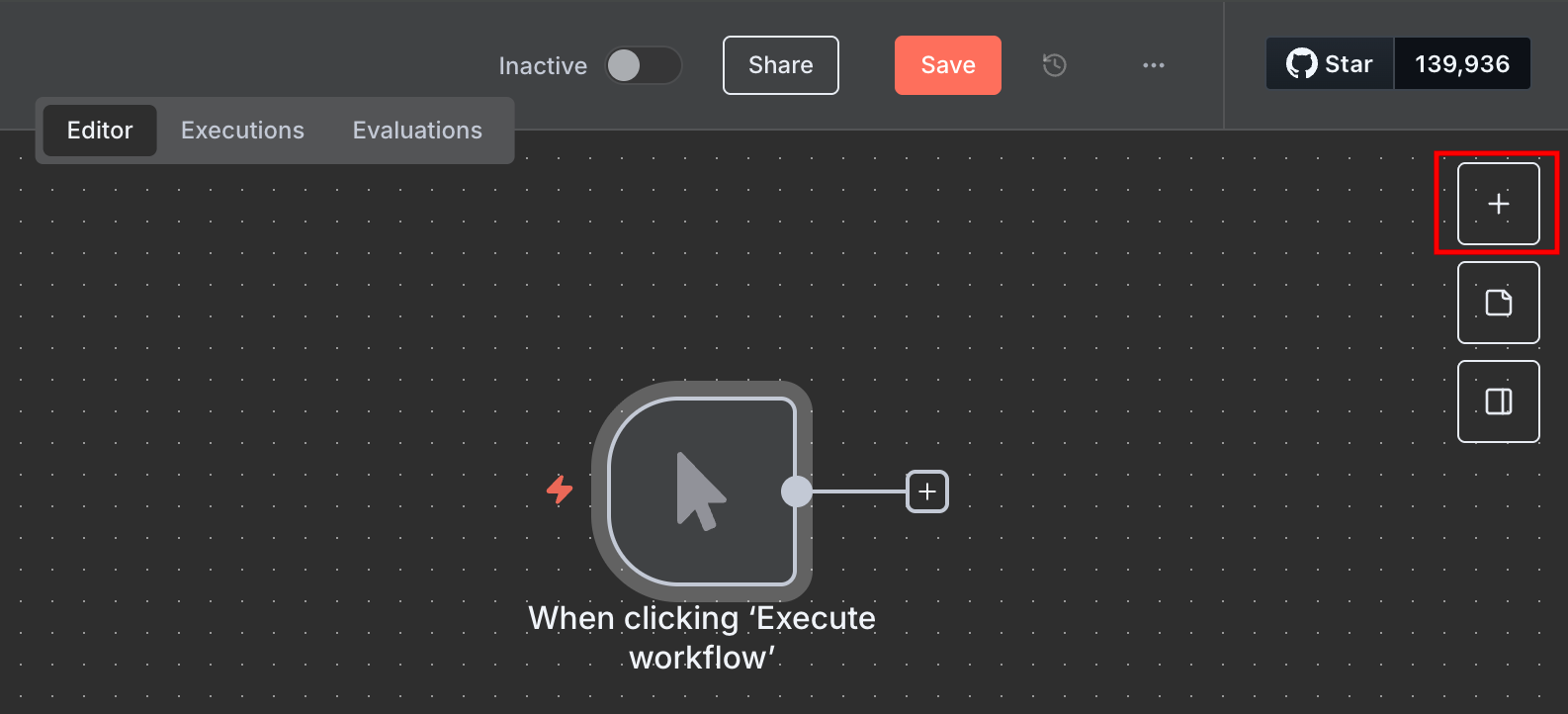
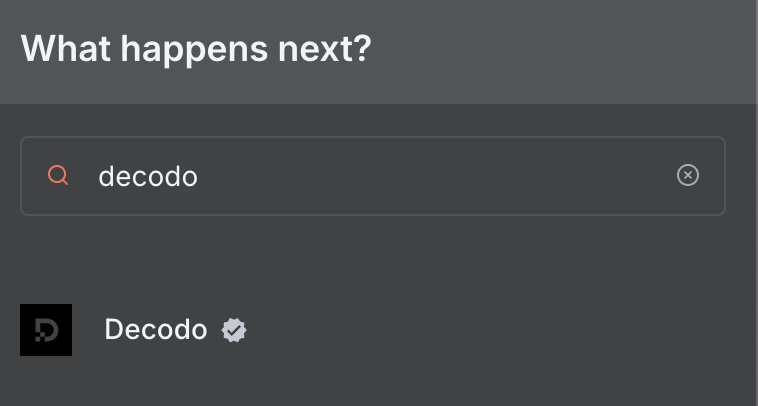
2. Search for “Decodo” to find the node.
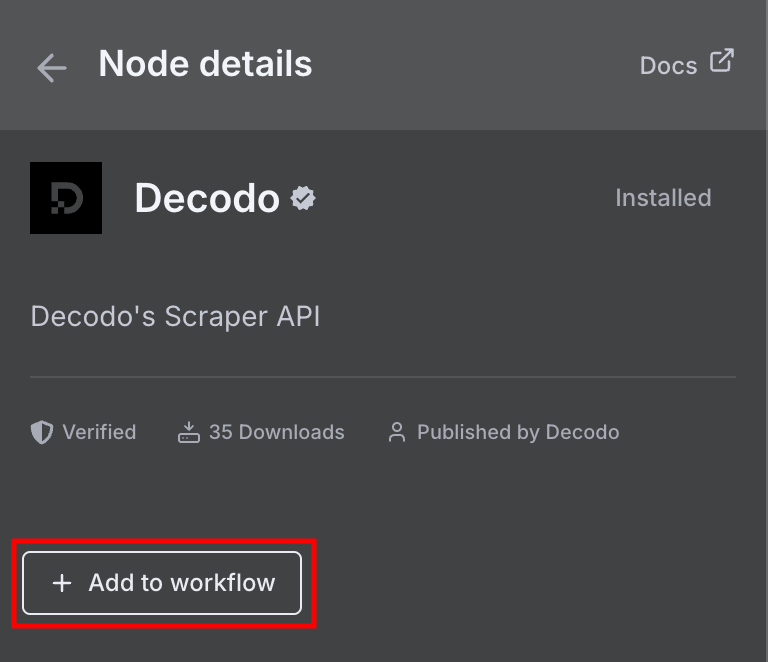
3. Click + Add to workflow.
Obtaining a Decodo account
The node requires a Decodo Web Scraping API Advanced plan. You can get started with a free trial on the dashboard.
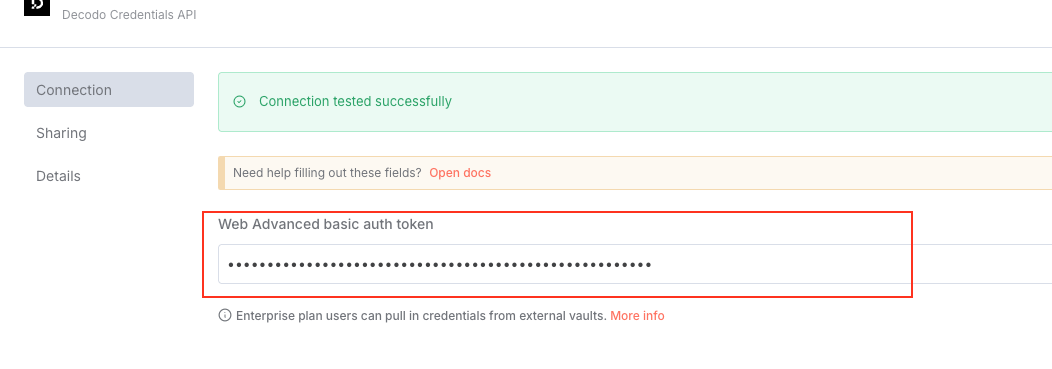
Once you have a plan activated, copy your Web Data API key from your Web Data API subscription on the dashboard. Older plans only have a basic authentication token, which you can use in the same field:

2. Create a new credential.
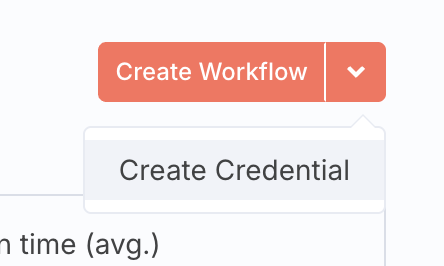
3. Find the Decodo Credentials API.
4. Paste your API key into the Authentication Token field. A basic authentication token works there too, and the credential detects which one you entered.
Using the node
The node can be used in 2 ways – as an individual HTTP request node, or a tool for an AI agent.
Individual node
To use the Decodo node by itself, connect it to an existing workflow. Once you add it, you can set the target URL and Geolocation.
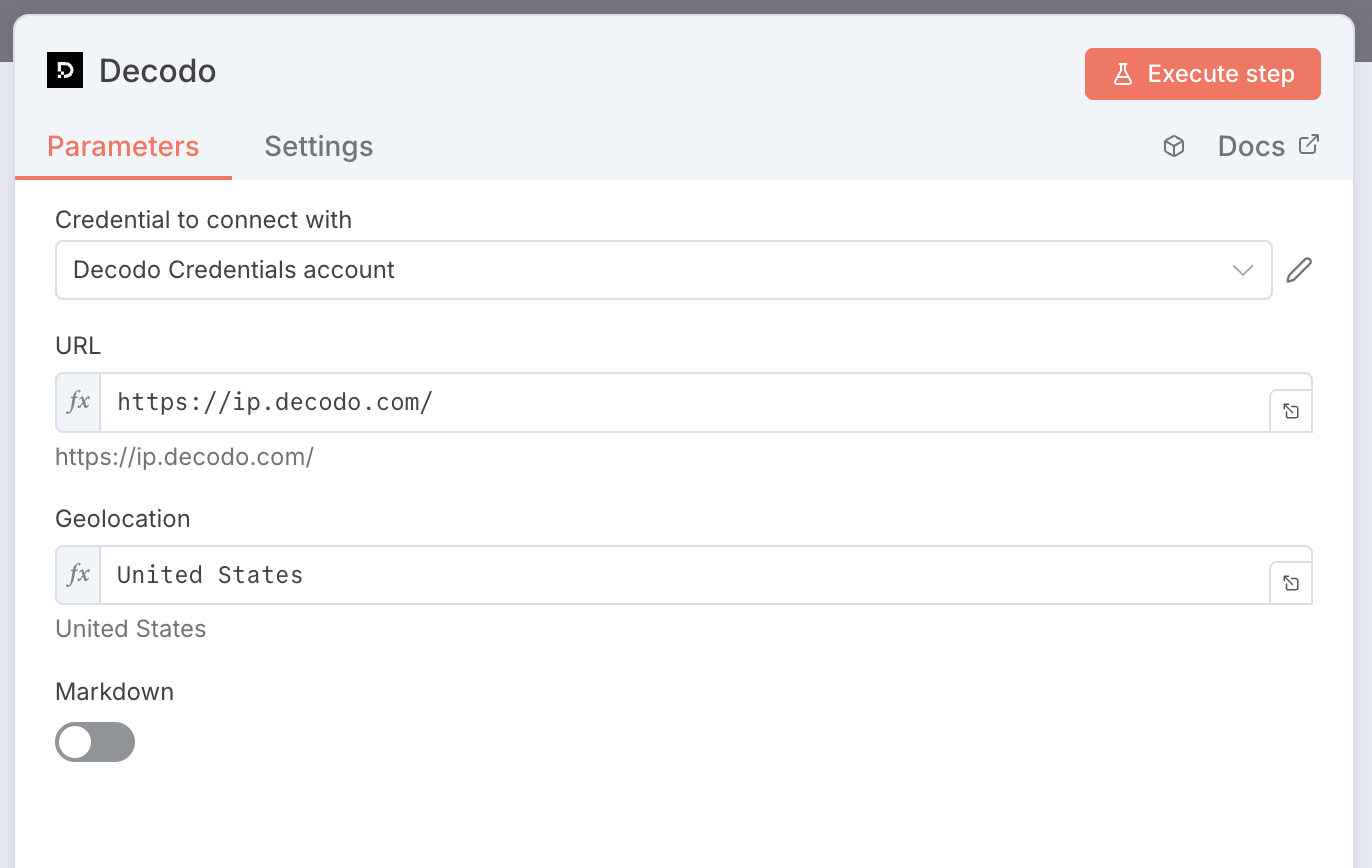
The node requests the target URL through a proxy in the chosen location, scrapes the page, and returns the response for use by downstream nodes such as the HTML node to extract content. Below is an example setup:
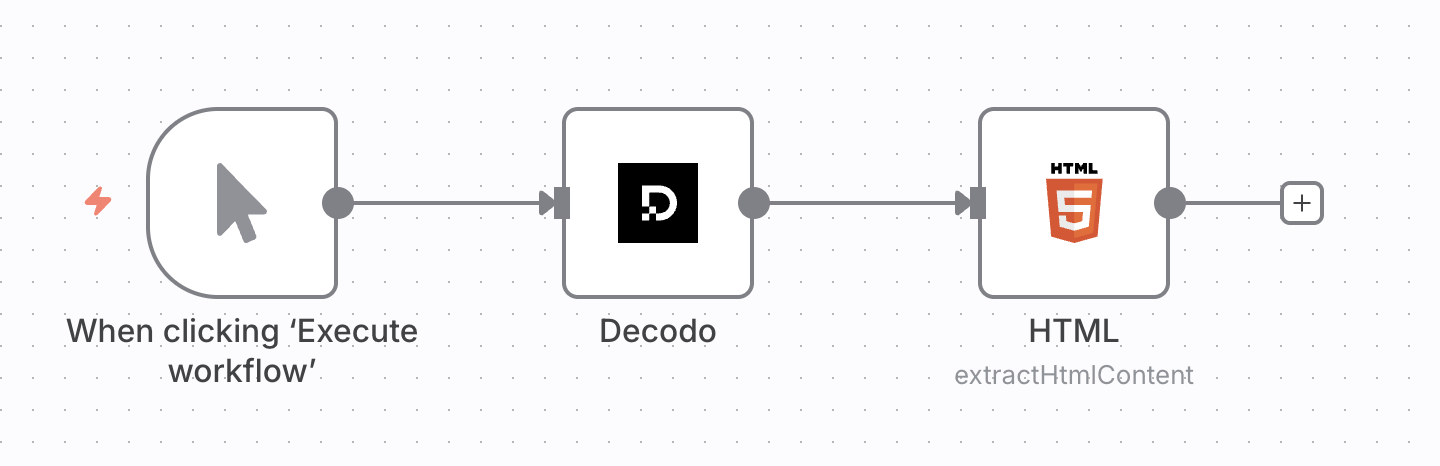
If Decodo can’t scrape the target, the node fails with the API’s status code and message. To pass the error downstream instead, set the node’s On Error setting to Continue.
AI agent tool
You can connect the Decodo node to the AI Agent node as a tool. You don’t need to modify anything inside the node. Here’s what a simple setup would look like:
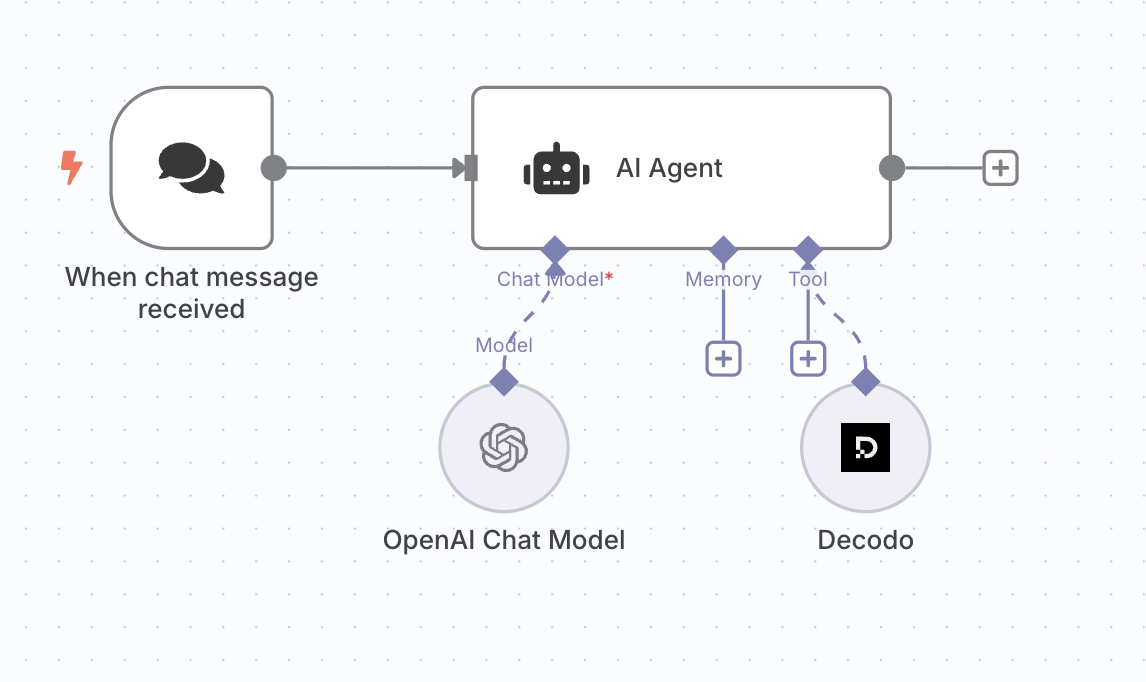
With this setup, you can prompt the agent to scrape a website in order to extract information. The prompt must be detailed and specific to return the best results.
Bad prompt example
If your AI model does not have access to the most recent web information, the following question may fail:
Who won the NBA in 2025?
Good prompt example
The question is more likely to be answered by updating the prompt with an instruction to scrape a reliable source:
Scrape Wikipedia and tell me who won the NBA in 2025.
Targets
The node has a required Target dropdown that determines which Decodo scraping target is called and which other fields appear:
| Target | Primary input | Returns |
| — | — | — |
| Universal | URL | Raw HTML, or Markdown |
| Google Search | Query | Parsed search results |
| Amazon | URL | Parsed product data |
| YouTube Subtitles | Video ID | Subtitles, for one language or all available |
Parameters
Which fields appear depends on the target you selected. A dash means the field is not offered for that target.
| Field | Sent as | Universal | Google Search | Amazon | YouTube Subtitles |
| — | — | — | — | — | — |
| URL | url | Required | – | Required | – |
| Query | query | – | Required | – | – |
| Video ID | query | – | – | – | Required |
| Language Code | language_code | – | – | – | Optional |
| Subtitle Origin | subtitleorigin | – | – | – | autogenerated |
| JS Rendering | headless: "html" | On | On | Off | – |
| Parse | parse | – | On | On | – |
| Markdown | markdown | Off | Off | Off | – |
| Geolocation | geo | Optional | Optional | Optional | – |
| Locale | locale | – | Optional | – | – |
| Results Amount | limit | – | 10 | – | – |
Where a value is shown instead of “Optional”, that is the default the node starts with.
headless: "html" and is on by default, except on Amazon. Turning it off sends no rendering parameter at all.United States.en-US.When the node is used as an AI agent tool, the agent fills these same fields from your message:
| Parameter | Example message |
| — | — |
| url | Scrape Wikipedia and tell me the article of the day. |
| geo | Scrape https://ip.decodo.com/json and tell me what city the request originated from. |
| headless | Scrape https://ip.decodo.com/json with JS rendering. |
If used as an individual node, all parameters can be manually configured by double-clicking on the node. For the full list of API parameters, see Parameters.
Development & releases
Contribution
To contribute to this node:
1. Install n8n globally in your development machine.
npm install n8n -g
2. Pull this repository.
git clone https://github.com/Decodo/n8n-nodes-decodo.git3. Navigate to the downloaded folder and build it.
cd n8n-nodes-decodo
npm install
npm run build
4. Inside the project folder, run npm link after building to make your local build of @decodo/n8n-nodes-decodo available in the local npm registry.
5. Inside ~/.n8n/custom, run npm link @decodo/n8n-nodes-decodo.
See this documentation page for more information.
Releases
Releases are automated. Merging to main publishes a new version based on the
PR title, which must follow Conventional Commits:
fix: → patch, feat: → minor, feat!: or a BREAKING CHANGE: footer → major.
chore:, docs:, ci:, refactor:, test: don’t release. Don’t edit the
version in the package manifest.
Compatibility
The node requires Node.js 20.15 or newer. It has been developed and tested with: